AI and integrations
AI: MCP, the assistant and Write with AI
Connect Claude and other apps, chat with the assistant, and let AI write and translate.
The MCP server
At POST /mcp (Streamable HTTP, OAuth with Laravel Passport).
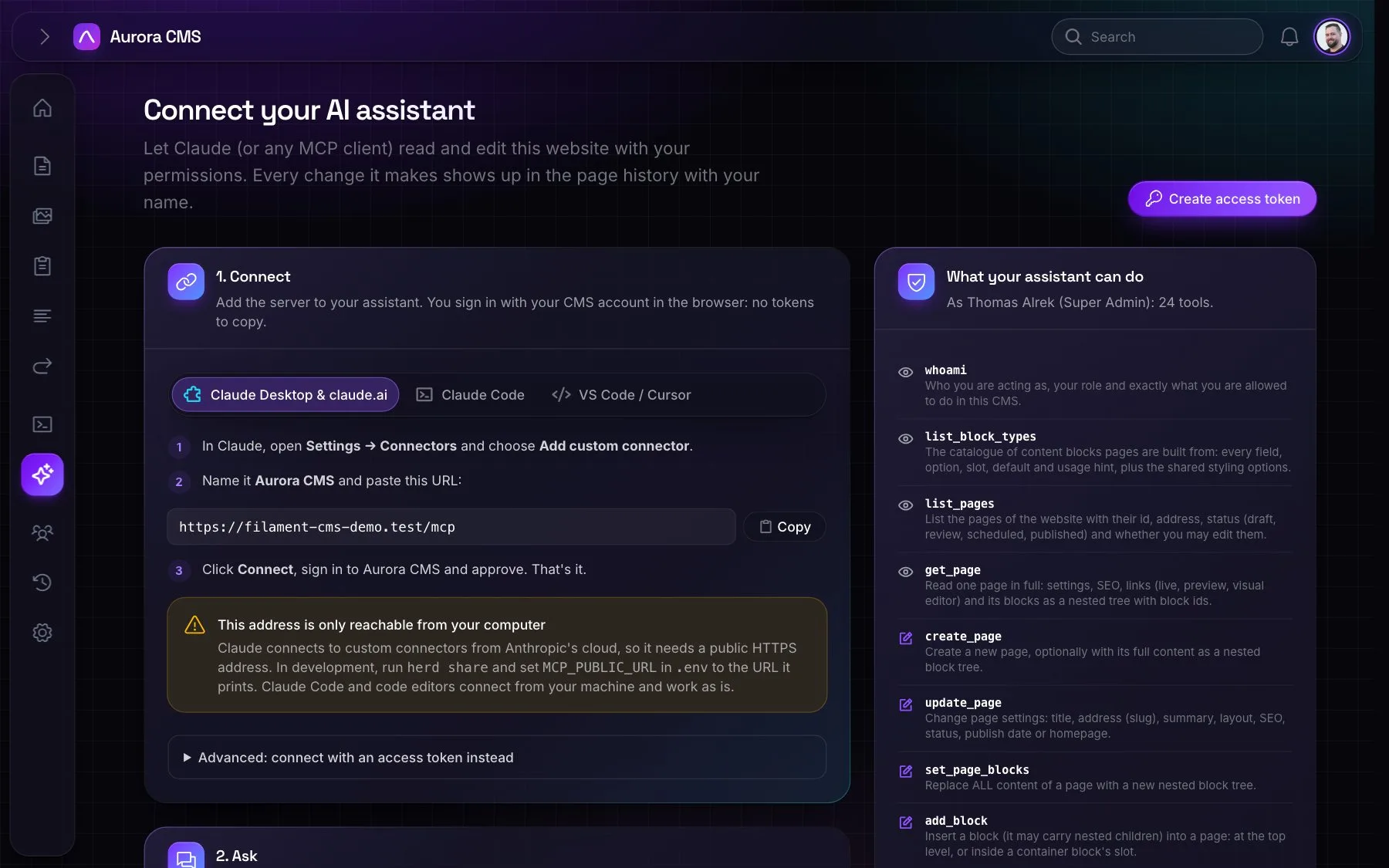
- Connecting: Claude Desktop and claude.ai add it as a custom connector. Claude Code, VS Code and Cursor sign in through the browser. Scripts use personal access tokens. AI › Connect AI apps has step-by-step setup with copy buttons, the apps and tokens you've connected, and what your assistant can do.
- Tools: sites and identity (
whoami,list_sites); pages (list_pages,get_page,create_page,update_page,delete_page,publish_page); blocks (list_block_types,set_page_blocks,add_block,update_block,move_block,remove_block); history (list_revisions,restore_revision); media (list_images,upload_image_from_url); menus (get_menus,add_menu_item,update_menu_item,remove_menu_item); andlist_forms,list_layouts,seo_report. - Permissions: the AI acts as the person who connected it. Tools their role can't use aren't even listed. Publishing needs the publish permission. Changes to live pages wait as unpublished changes, and appear in the page history under the person's name.
- Restricted callbacks: OAuth clients may only redirect to Claude, localhost or the Claude, Cursor and VS Code app schemes.
- Development: expose the site (for example
herd share) and setMCP_PUBLIC_URL.php artisan mcp:start cmsruns a local stdio server asMCP_USER.
The assistant in the admin
Set up under Settings › AI Assistant.
- Providers: Anthropic (Claude), OpenAI, Google Gemini, Mistral, Groq, xAI, DeepSeek, or any OpenAI-compatible or Anthropic-compatible endpoint, including OpenRouter, Ollama and LM Studio.
- What it uses: the same tools as MCP, with the same permissions, logged as "Assistant".
- What it knows: the screen you're on, so "make the heading shorter" needs no page name.
- Attachments: images, PDFs, text and CSV. Uploaded images only join the media library when a page uses them.
- Conversations are kept and can be exported as Markdown, and open editors redraw when it changes the page.
Write with AI, translation and alt text
- Write with AI is a sparkle button on text fields. It writes from the rest of the form and the page, with an optional instruction, and for alt text it looks at the image.
- AI translation translates pages block by block, form fields and every label.
- Alt text, written automatically: switch on Write alt text for images automatically under Settings › AI Assistant, and the assistant describes each image added to the media library, in the website's language, on the queue. Switching it on also describes the images already there without alt text. Alt text someone wrote is never replaced.
The AI activity log
AI › Activity log records every tool call by an AI: the channel (an app over MCP, or the assistant), the tool, the person it acted for, the outcome and the arguments, with a link to the page it changed.