Running a site
Languages and translations
Content in every language, and every label in the admin.
Languages
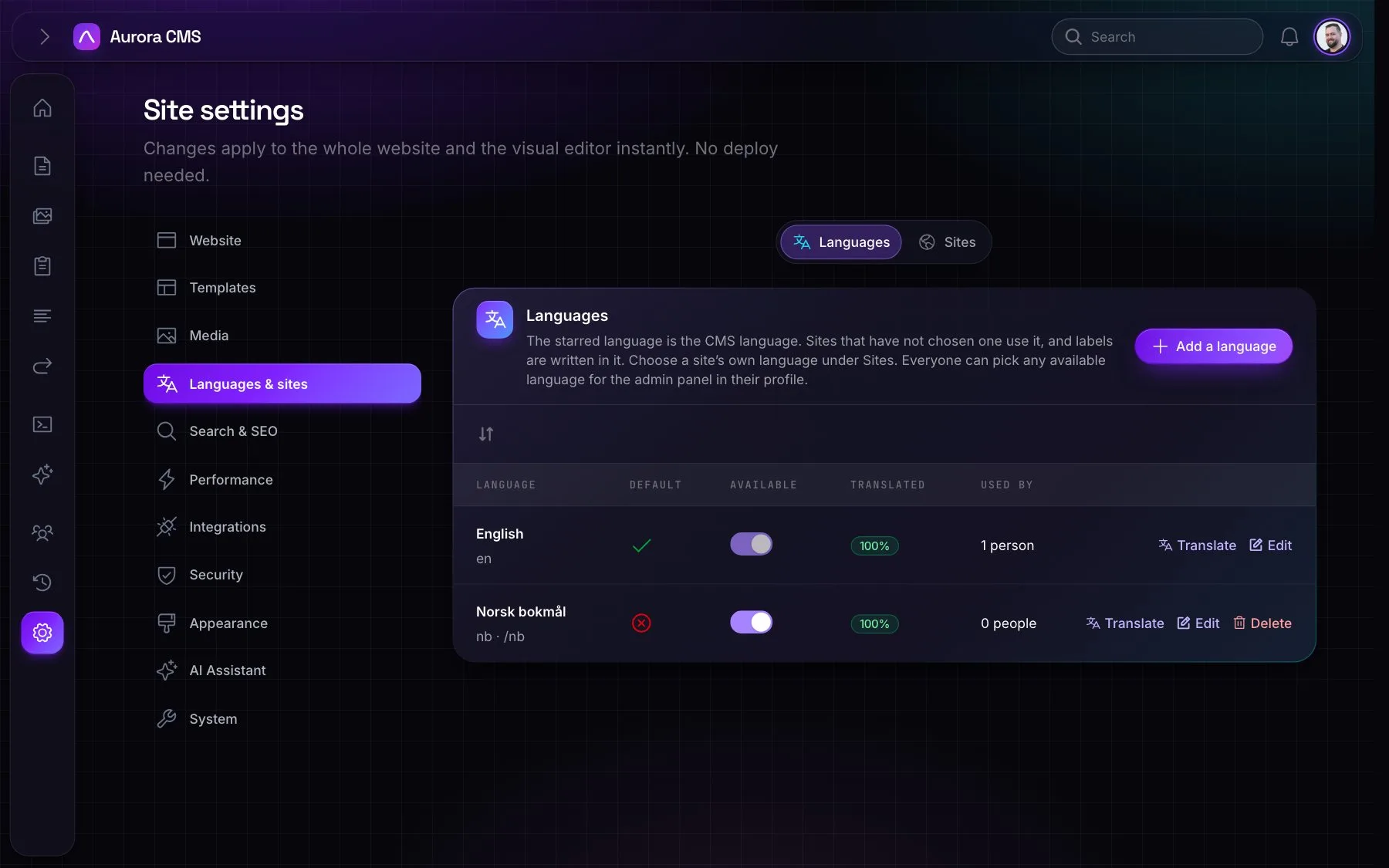
- Adding languages: in Settings › Languages & sites. The default language has no address prefix; the others get one, which may differ from the code (
nbat/no). - What's translated: page titles, addresses, summaries, SEO fields and block text, menu item titles, form field text, media alt text and captions, role names and every label.
- Per page: tick which languages it exists in. A page only answers in those, and links to an untranslated page go to its default language.
- The admin's language is each person's own choice, separate from the website's.
Translations
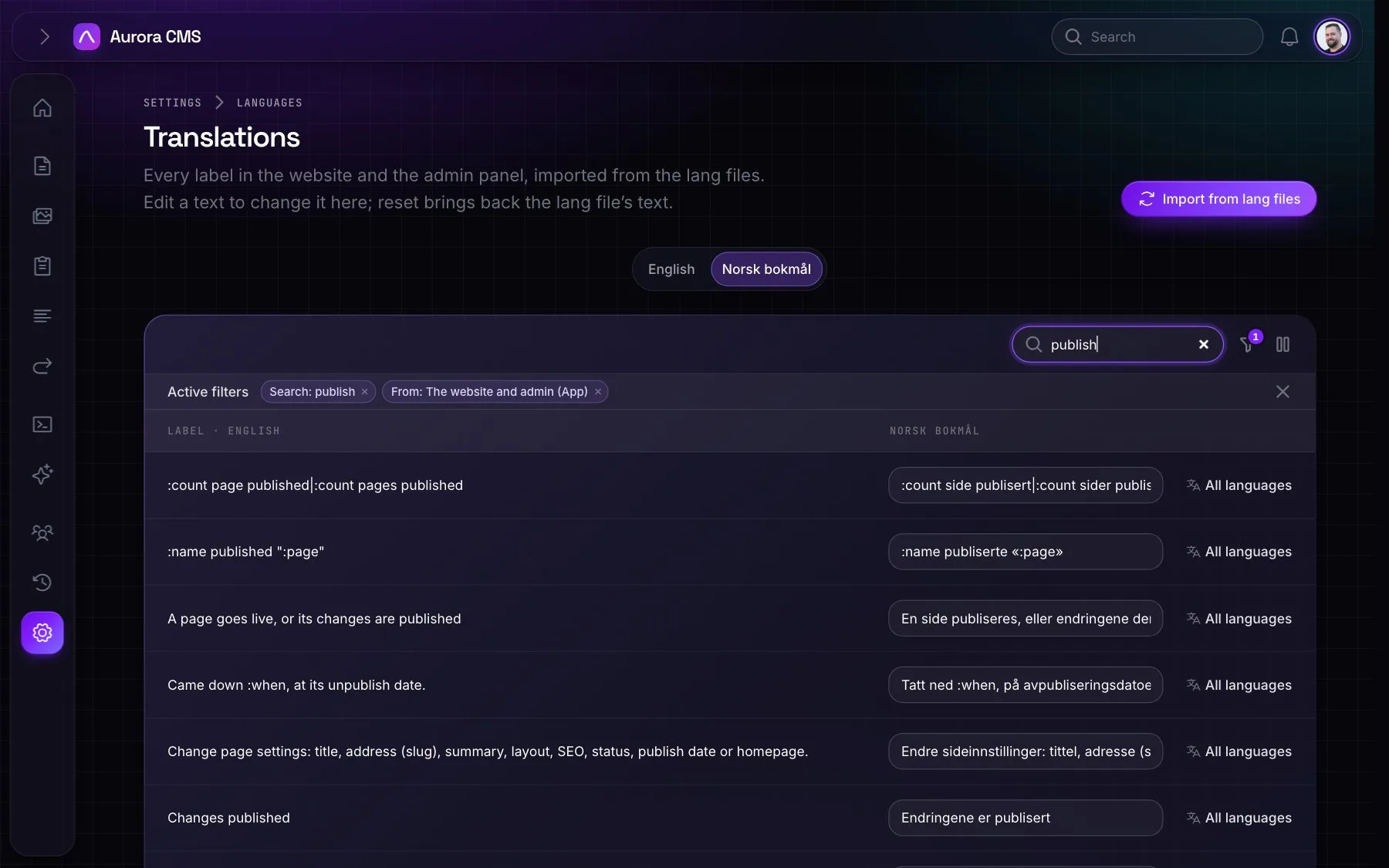
The Translations screen holds every label in the website and the admin, Aurora's, Laravel's and other packages', editable in place, one tab per language, with a count of what's missing.
- Filters: needs translation, where a label comes from, and edited here.
- Per label: edit every language at once, or reset to the lang file.
- For the whole list: Translate all with AI, Import from lang files (keeps edits) and Remove unused.
- Missing labels fall back to the default language.
On the command line, aurora:sync-translations adds new labels from the code, aurora:import-translations loads the lang files and aurora:export-translations writes edits made in the admin back to them.