Using the admin
Menus, redirects and trash
Navigation that follows your pages, redirects, and getting deleted things back.
Menus
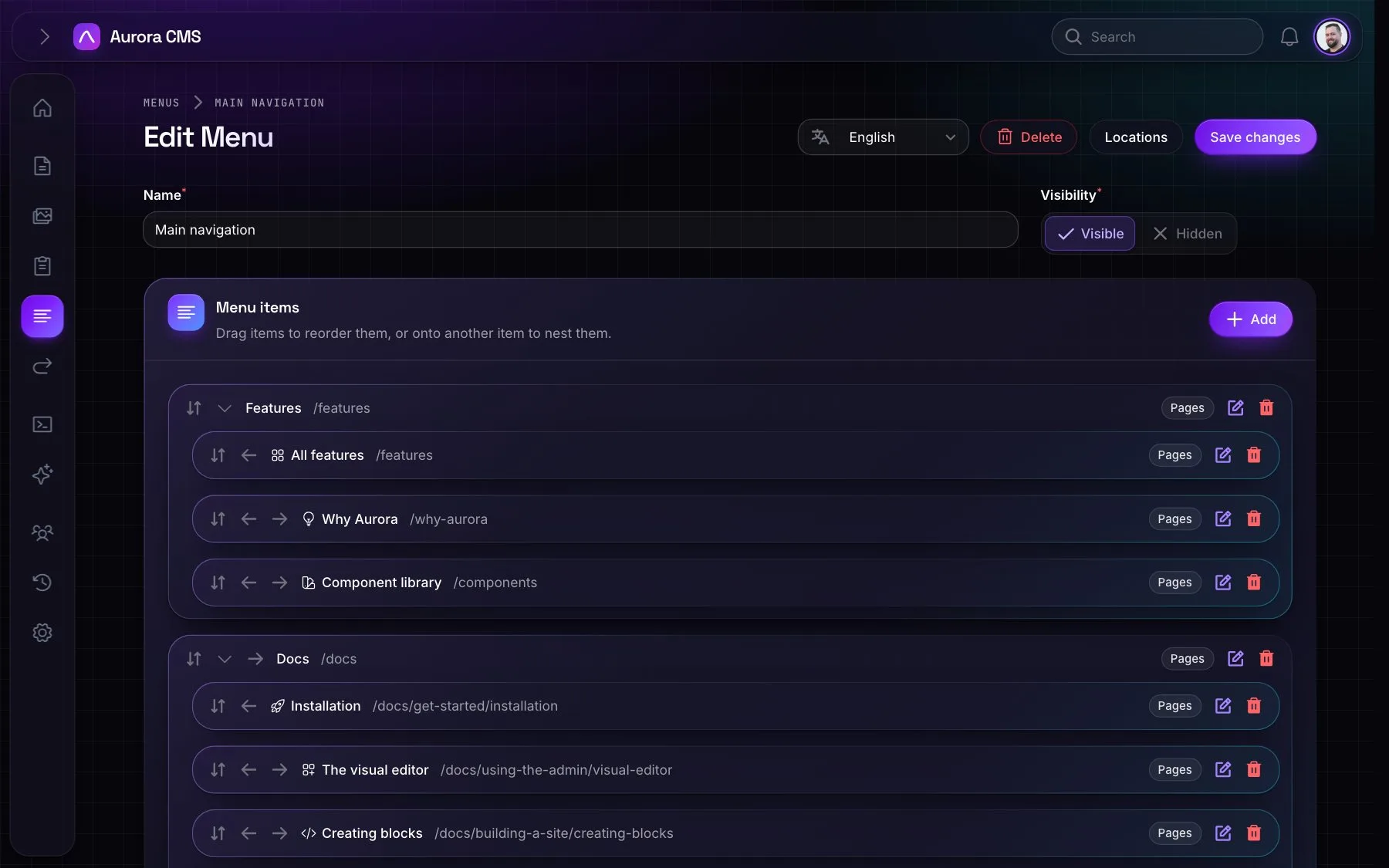
- Building a menu: drag items to reorder them, or onto another item to nest them, as deep as you like. Add pages (optionally with their subpages), shortcuts, custom links and plain text labels. Items can have icons, CSS classes and
rel. - Page items link to the page by id, so they follow the page when its address changes, and use its title unless the item has its own. Titles are per language.
- Menu locations (More › Manage locations, or Settings › Templates) are named places in the templates, such as
headerandfooter, that a site adds and renames itself. Templates show a location's menu withMenu::location('header').
Redirects
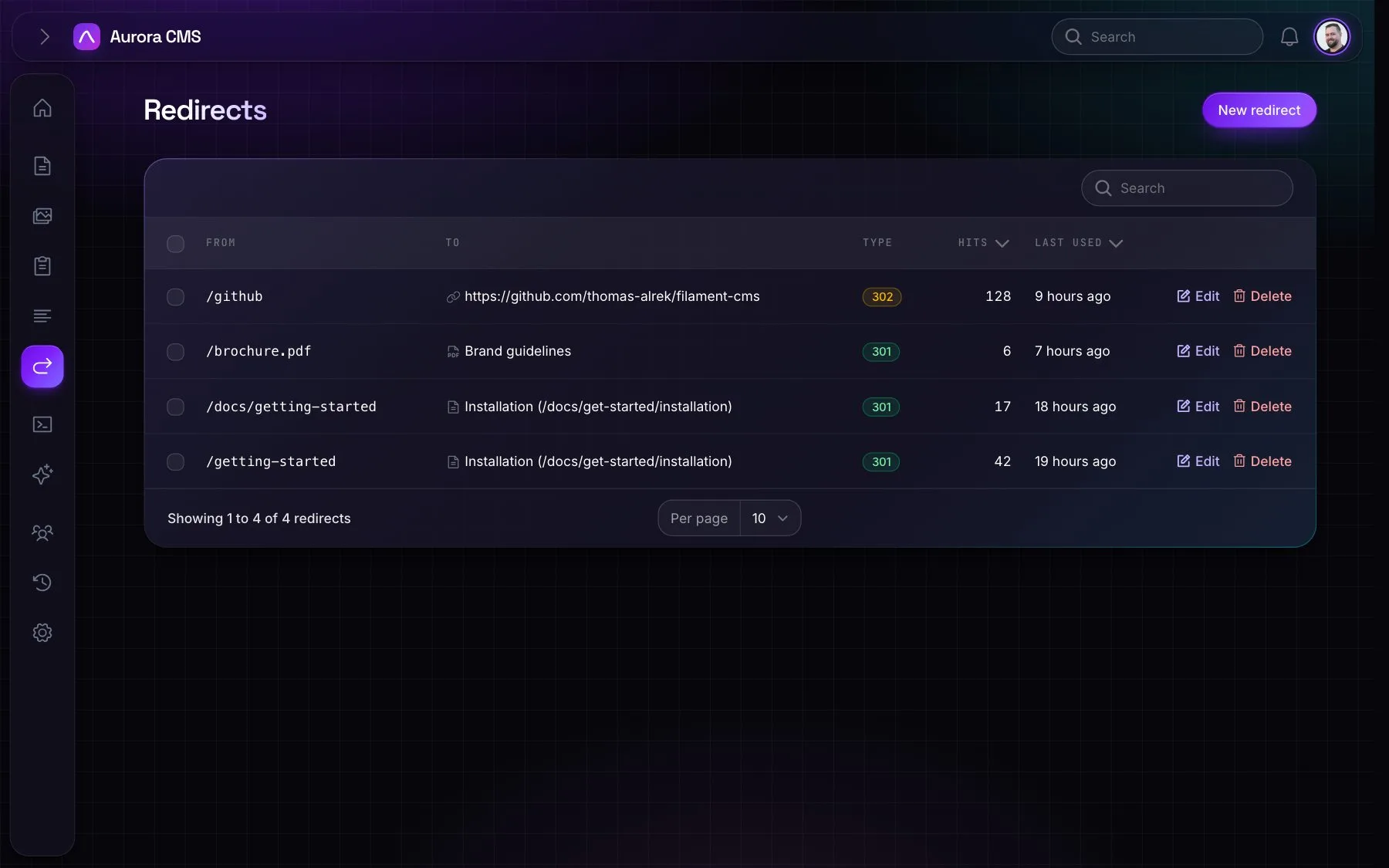
- Manual redirects go from an old address to a page (which they follow when its address changes), a media file (which survives replacing the file) or any URL. Permanent (301) or temporary (302); old addresses may contain dots, such as
/brochure.pdf. - Automatic redirects are made when a live page's address changes, in every language.
- The list shows hit counts and when each redirect was last used, and flags redirects to pages in the trash. Redirects are checked before a 404.
Trash
- Deleted pages, media and forms, one tab each. The sidebar entry only appears while something is in the trash.
- Restore, preview or delete permanently, also in bulk, or Empty trash.
- Before deleting permanently it explains what happens: a page goes with its history, a form with its submissions, and media leaves an empty spot on the pages that used it.