Using the admin
The visual editor
Compose pages from blocks on the real design, and translate them.
Open it with Design in the pages list, or Open visual editor on the page form.

The panels
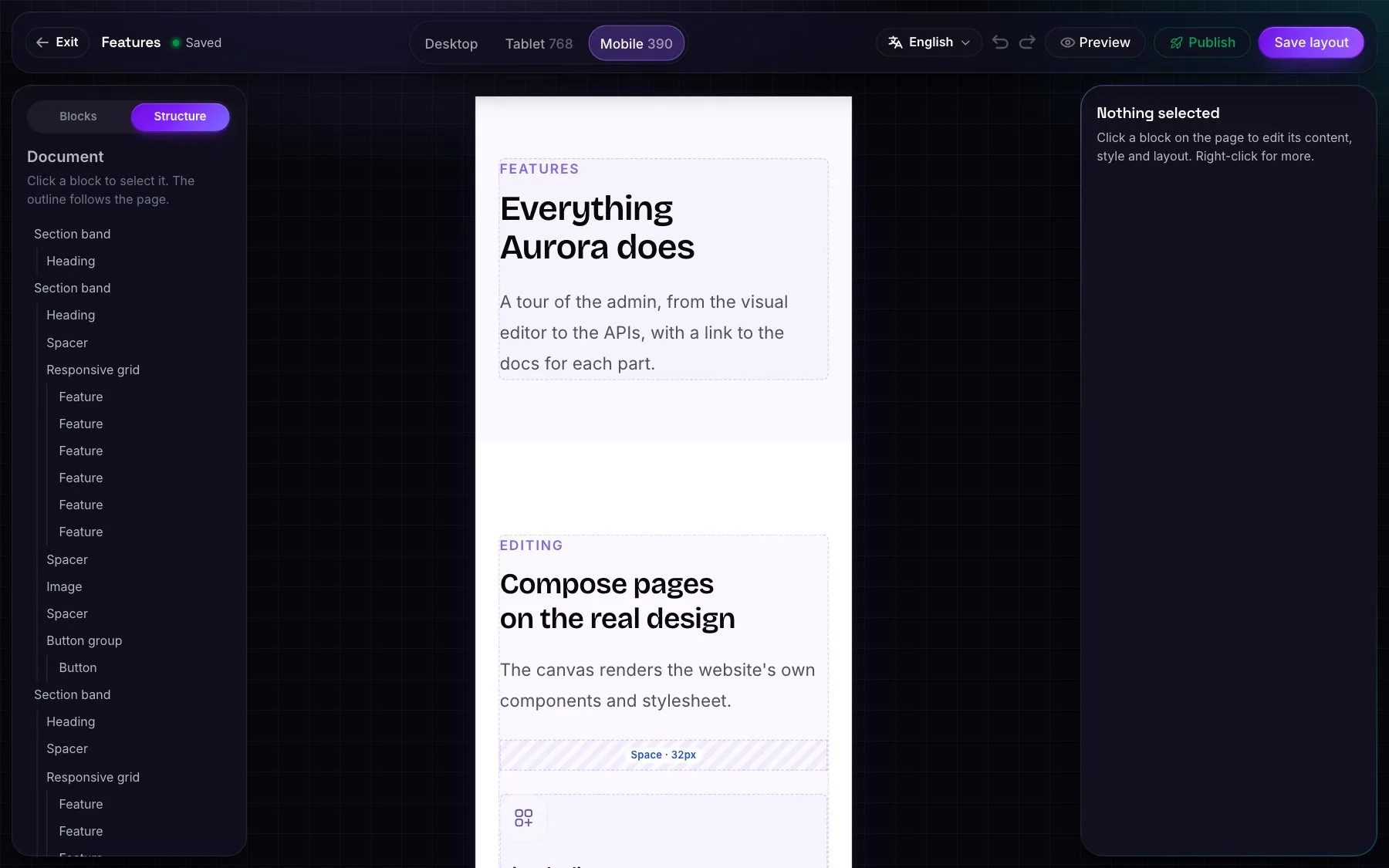
- Blocks: a palette of blocks, grouped by category and searchable, each with a picture of what it looks like. Click a block to add it, or drag it onto the canvas, into a band, a column or a grid.
- Structure: an outline of the page to select, move and nest blocks.
- Inspector: the selected block's fields, which update the canvas as they change. Every block also has design options: padding, background, width and alignment.
On the canvas
- Inline editing: headings, paragraphs, button labels, and items inside lists, such as an FAQ question or a pricing feature.
*Asterisks*highlight words in headings. - Images: clicking an empty image opens the media picker. Each use of an image can be cropped, rotated, flipped and adjusted without changing the original.
- Embeds: drop a YouTube, Vimeo, map or other allowed link onto an Embed block.
- Editing tools: desktop, tablet and mobile widths; undo and redo with keyboard shortcuts; copy and paste blocks and styles; resize blocks and columns; a right-click menu.
- Preview renders the unsaved page inside the real website: header, menus, footer and CSS.
Saving
- The status shows Unsaved changes, Saved, or Saved, not published when the page has unpublished changes, with a Publish button.
- Saves are recorded as "Visual editor" revisions and respect edit locks.
- Leaving with unsaved changes offers Discard or Save and leave.
Translating
- Open the language menu, or add
?language=nb. All languages share one block structure, and in another language only the text can be edited. - Untranslated text is highlighted.
- Translate with AI fills in what's missing, or translates everything, including the title, summary and SEO fields.
And more
- Shortcodes (
Aurora,51) and code blocks, which are only for people with the code blocks permission. - The AI assistant can change the page while it's open; the canvas redraws without reloading.