Using the admin
Publishing workflow
Drafts, review, scheduling, unpublished changes and revisions.
Statuses
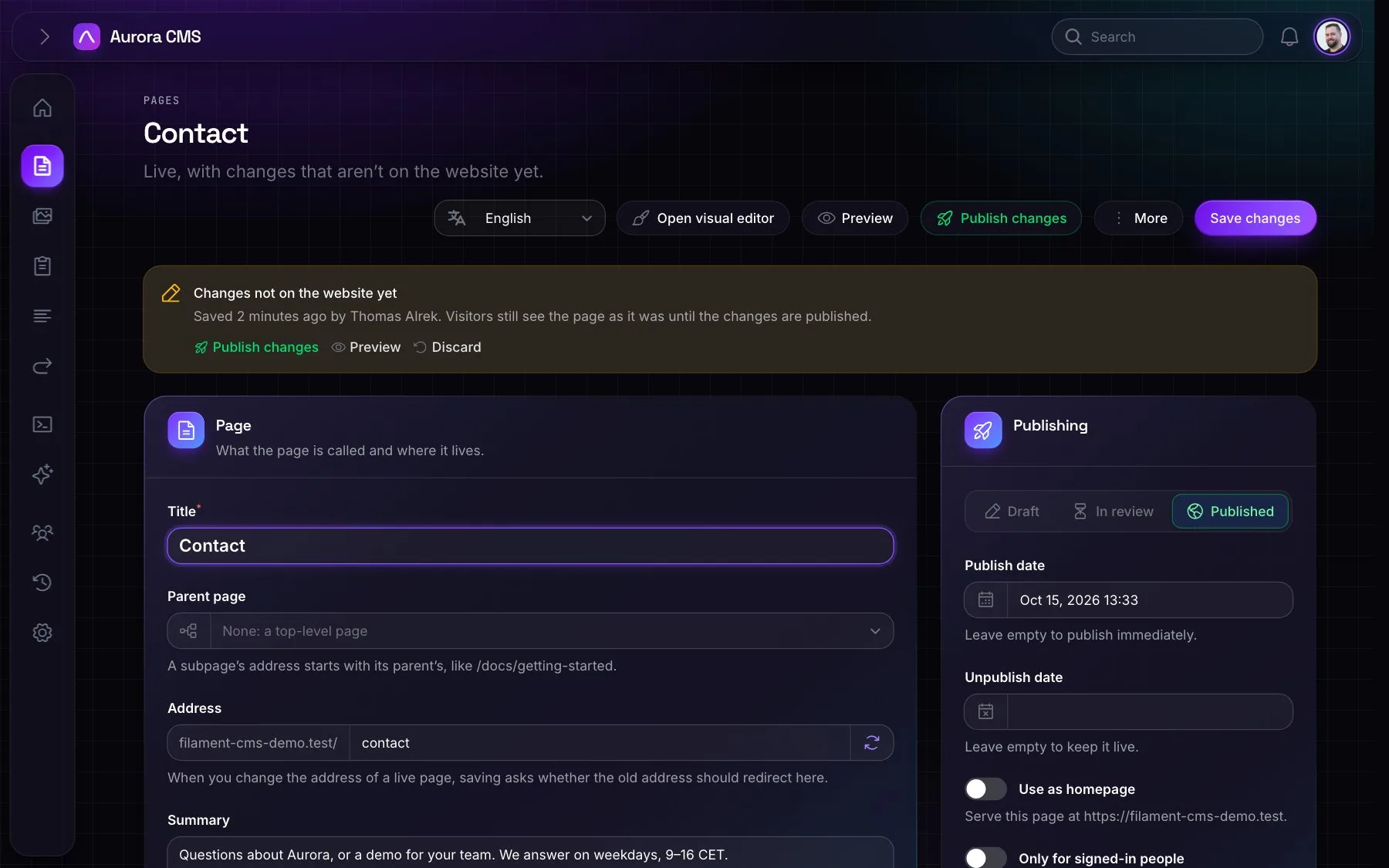
Pages are Draft, Review or Published. Authors send pages for review; people with the publish permission publish them, from the page, the list, the dashboard or a notification. People who can't publish only see Submit for review.
Publishing is checked on the model
Taking a page live needs permission, whether by status, date or making it the homepage. No surface can skip it: forms, bulk actions and AI all go through the same check.
Scheduling
A future publish date schedules the page; an unpublish date takes it down again by itself. A page is live when its publish date has passed and its unpublish date hasn't, worked out on every request: there's no cron job to forget.
Unpublished changes
- Saving a live page keeps the changes off the website until someone publishes them. A banner says so, who saved them and when, with Publish changes, Preview and Discard.
- Previews show the changes, and AI tools read and edit them.
- The address and the publishing settings still apply straight away.
- A site can turn this off under Settings › Website › Publishing ("Changes go live when they're saved"), but only for people allowed to publish. Everyone else's changes still wait.
Revisions and locks
- Revisions: every save from every surface, restorable with one click. Restoring keeps the current version in the history.
- Edit locks: one person edits a page at a time; locks clear themselves within a minute of the editor leaving.
- Notifications: a page sent for review notifies everyone who may publish it; its author hears when it goes live.