Running a site
Users, roles and permissions
Invitations, sign-in with passkeys, roles in plain language and the activity log.
Users
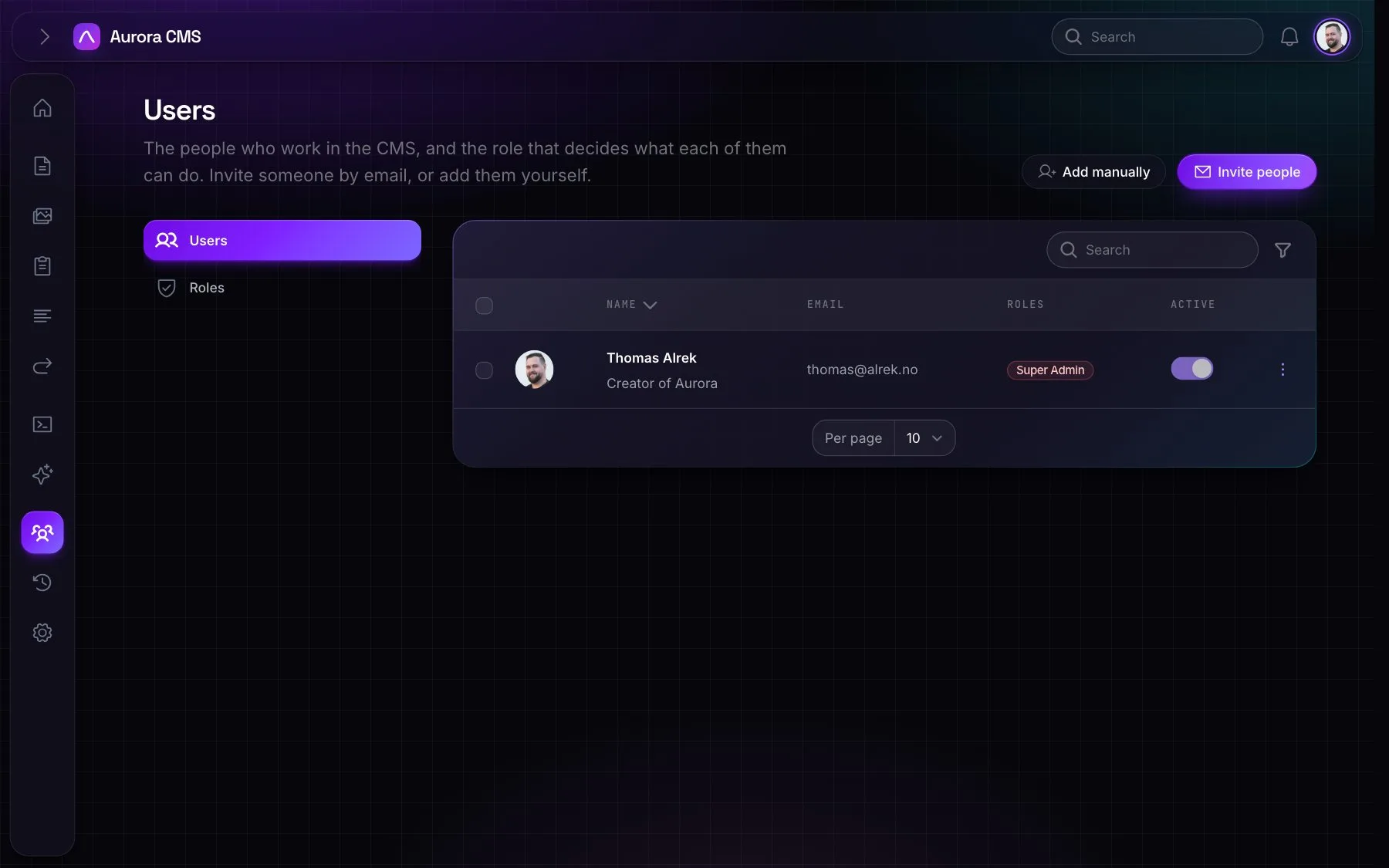
- Inviting: Invite people sends several invitations at once, with a role and a personal note. The link works once and expires. Pending invitations can be copied, resent or revoked. Add manually is there too.
- The person: avatar, name, job title, email, password, admin language, the sites they work on, whether they're active (inactive people can't sign in or use AI) and their roles, though nobody can change their own.
- Sign-in: passkeys, offered after sign-in; authenticator apps for two-factor sign-in (several per person, each named) with recovery codes. An admin can reset someone's two-factor sign-in, and Forgot password? on the sign-in page emails a link to choose a new one.
- View as (impersonation): see the admin as someone else, never as a Super Admin. It needs a permission no role has by default.
Roles and permissions
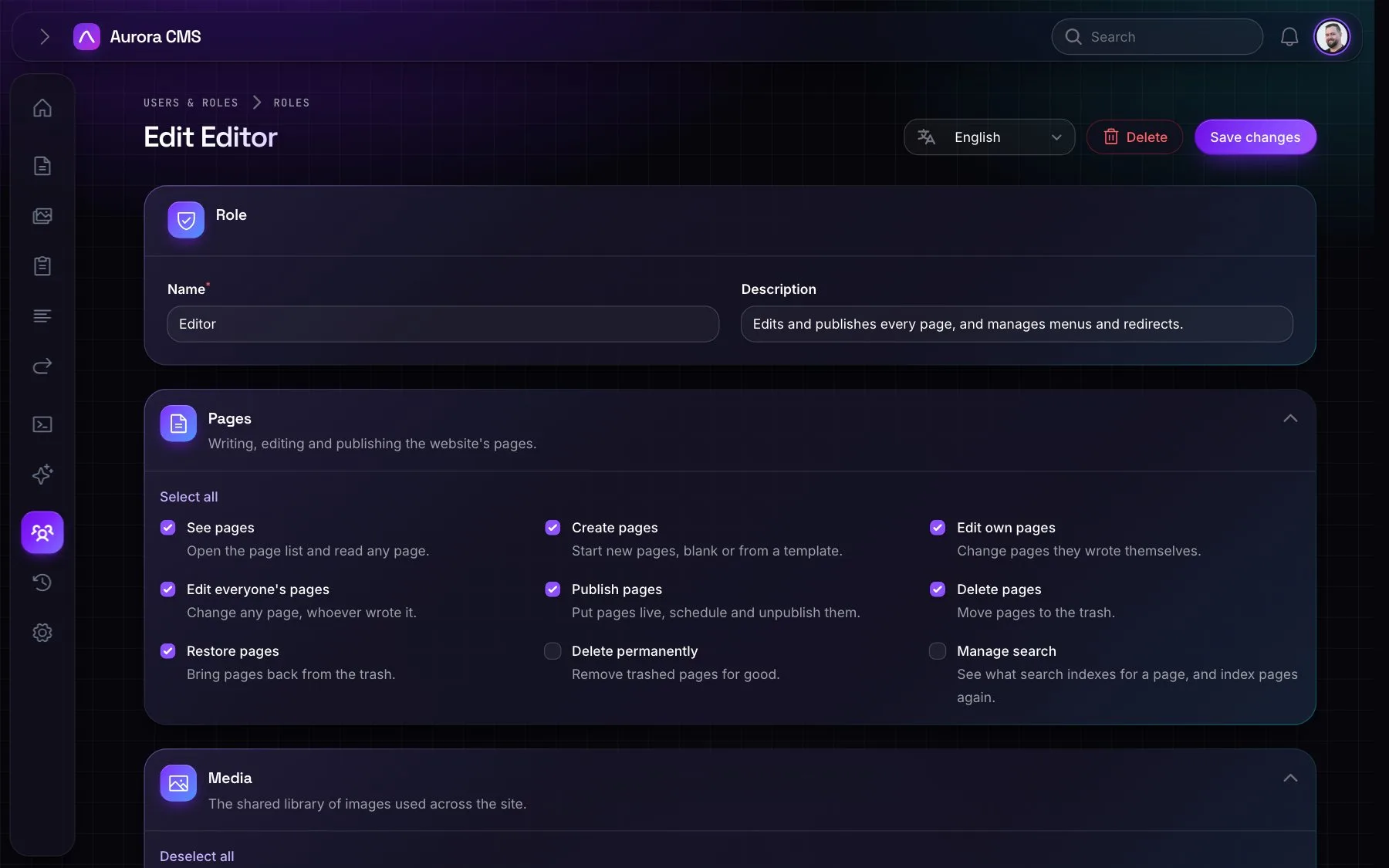
- Built-in roles: Super Admin (everything, always), Editor (every page, publishing, menus, media, forms and redirects), Author (their own pages, sent for review) and Viewer (looks around).
- Your own roles: add them in Users & Roles › Roles, with a name and description per language, and pick what they may do in plain language. The list shows members and how much each role may do ("can do 12 of 30").
- The permissions: pages (view, create, edit own, edit any, publish, delete, restore, delete forever, manage search); media (view, edit, manage access); forms, menus and redirects (view, edit); people (users, roles, impersonation); site and AI (settings, activity log, sites, languages, translate, use the assistant, connect AI apps, code blocks).
Sign-in rules
Settings › Security › Sign-in can require two-factor sign-in or passkeys for everyone.
Activity log
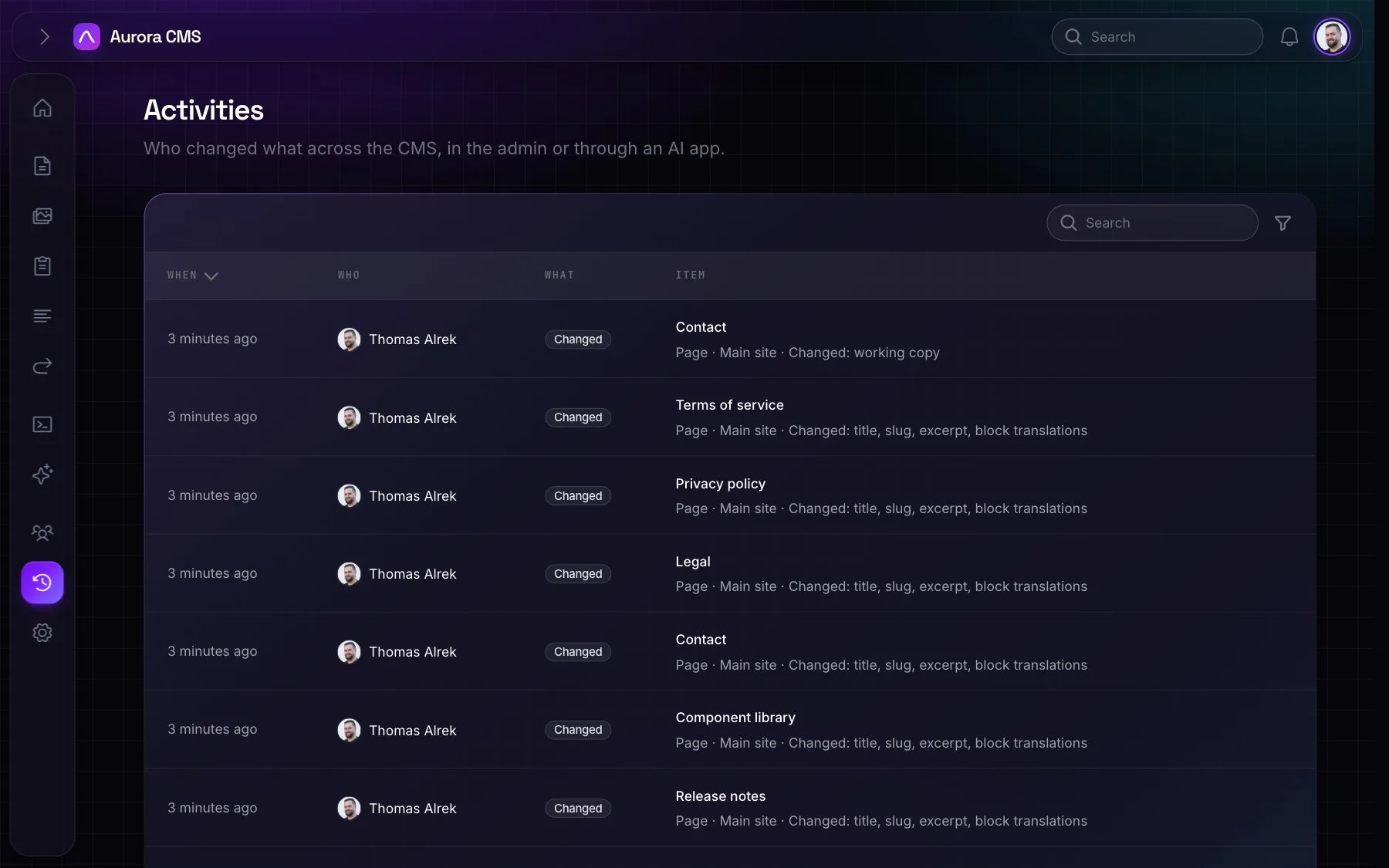
- What it records: who created, changed, deleted or restored what, and which fields changed, across pages, menus, forms, redirects, media, folders, users, roles, layouts, menu locations, sites, languages, settings, webhooks, API keys and image formats.
- What it leaves out: what the system does by itself, and people's own preferences such as a collapsed sidebar or dark mode.
- Filters: who, kind, action and dates. Only people given the permission see it; no role has it by default.
For developers: the policies are in Aurora\Policies, and the catalogue of permissions and roles is Aurora\Support\Permissions.