Using the admin
Finding your way
The sidebar, the dashboard, the command palette, search and notifications.
The sidebar has the Dashboard, then three groups: Content (daily work), AI, and Administration, with Settings at the very end. Everyone sees only what their role allows.
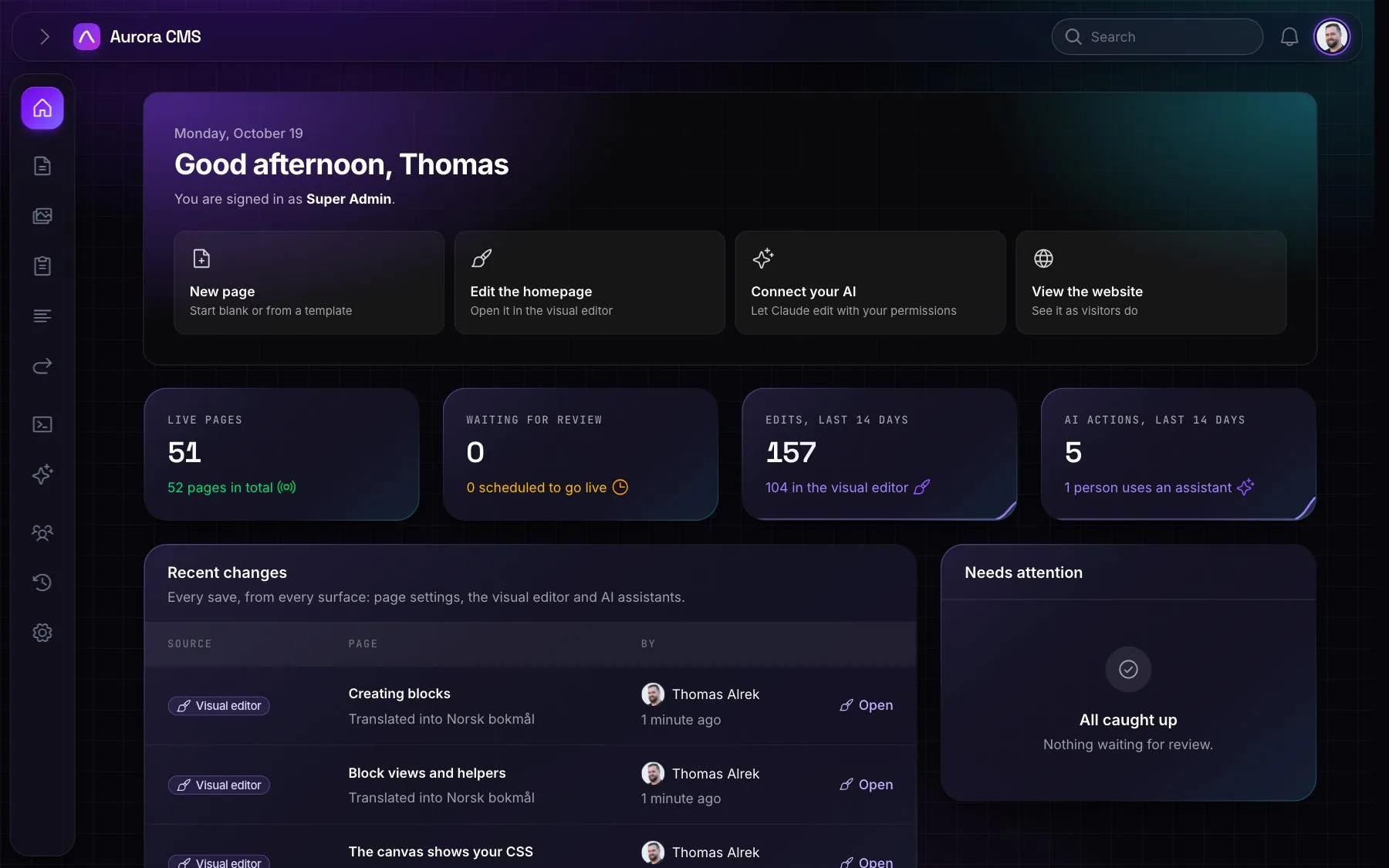
The dashboard
- Welcome: a greeting by time of day, quick actions (New page, Edit the homepage, View the website) shown only to people who may use them, and an AI card: Connect your AI until an app is connected, then the latest AI activity.
- Content statistics, refreshed every minute: live pages out of all pages, pages waiting for review and how many are scheduled, and edits and AI actions in the last 14 days.
- Recent changes: every page revision from every surface (form, visual editor, AI), with who, when and a link into the editor.
- Needs attention: pages in review and pages scheduled to go live, with one-click Publish. When nothing is waiting it says "All caught up".
The command palette
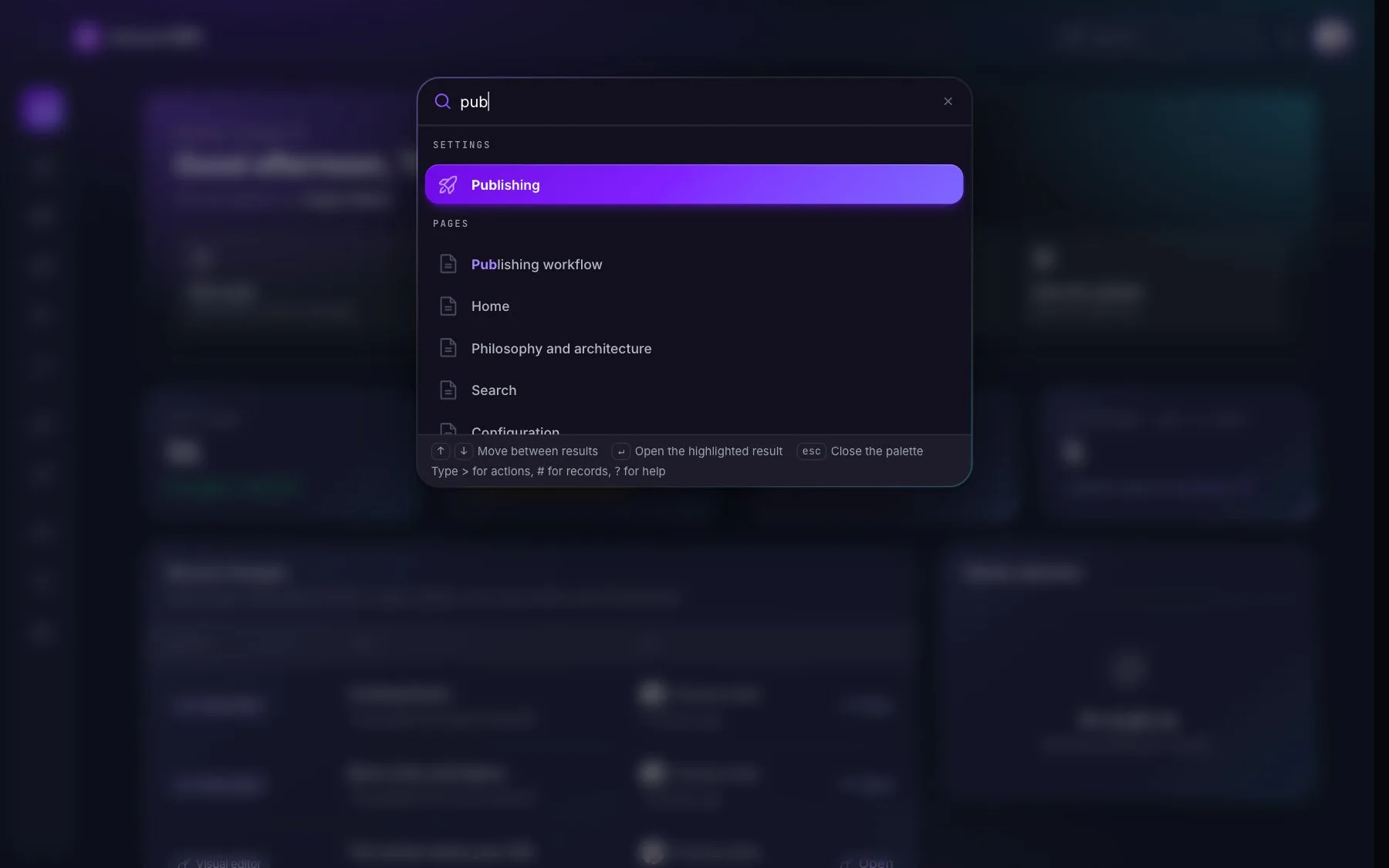
Press ⌘K or Ctrl+K anywhere:
- actions: draft a page, edit the homepage, upload images, invite someone, create a redirect or a menu, and more;
- commands for the page that's open;
- every screen and every Settings tab;
- records from global search;
- light and dark mode.
Everywhere else
- Global search finds pages, files, forms, people and Settings tabs by name.
- Notifications in the bell, to the people who can act on them and in their own language: a page sent for review, your page published by someone else, a new form submission, an accepted invitation.
- The AI assistant, a chat bubble or Ctrl+Shift+K.
- The user menu: your profile, connected AI apps, the website, light or dark mode (when the theme has both) and sign out. Your theme and sidebar state follow you to any browser.
- Unsaved changes are never lost by accident: leaving a form or the editor asks first.
- Mobile friendly: the admin, Settings included, works on a phone.